
My German Boyfriend and I Tested Ubigi eSIM in the Philippines. Here’s Why We’re Keeping It

Since I found out about eSIMs, I never went back to a physical SIM. Ever. What I didn’t know was that I would eventually prefer an eSIM in my own country, the Philippines.
I got my first eSIM in Taiwan, and I’ve gone through a lot of them since. Soon I had collected so many eSIMs, one per country. It felt like the old days of hoarding physical SIMs. Just digital this time.
Until Ubigi reached out and said that with them, I would only need ONE eSIM for ALL locations.
So Matthias, my German boyfriend, and I tested Ubigi eSIM across our six-month stay in the Philippines. We used it at home during unexpected power cuts, on out-of-town trips, and during visa runs to Manila.
We ended up loving it more than we expected. We love that we can use the same eSIM in every country, that we don’t need internet to top up, and that it was at times faster than my local SIM.
If you’ve been curious about Ubigi eSIM, or you’re a foreigner looking for a reliable eSIM in the Philippines, this review is for you. I’ll show you how this eSIM went beyond what we expected, where it falls short, and why I’m keeping it for our trips and our move to Europe.
Disclosure. Ubigi sponsored this post and gifted the two plans we tested. It also contains affiliate links. If you book through them, I may earn a small commission at no extra cost to you. I appreciate your support! The opinions are ours, and Ubigi did not review the verdict. Read our full disclosure.
Ubigi eSIM Summary
- Works on Smart and Dito, with 5G on Smart
- One eSIM for all your trips, 200+ destinations
- Top up with zero connection
- The plan we used: 10GB for 30 days, US$16 as of September 2026
- Best for: foreign visitors, anyone who comes back to the Philippines every year, couples sharing data, and anyone flying on to another country afterwards
Is Ubigi eSIM worth it in the Philippines?
Yes. It’s the most reliable eSIM we’ve used in the Philippines. We never had a single problem with it. Two things to know before you buy: it’s data only, with no local calls, and you should keep your local SIM for OTPs.
One eSIM for all your trips
You know that phone with 15 eSIM profiles in it? I have that phone.
I have one eSIM for the US, one for Europe, one for Japan, one for Turkey, one for Indonesia, and so on. Then you visit that country again, have no idea which company you bought the eSIM from, and buy another one.
I’m so tired of having another eSIM per country. Matthias and I are usually in Asia and Europe every year, so aside from stamps and memories, we collect a lot of eSIMs.
Ubigi solved that for us. With Ubigi, you need one eSIM for all countries.
You install it once, and after that you just buy a plan for wherever you’re going. You can buy single-country plans, or regional ones like Asia, Europe, and the Americas, across 200+ destinations. The profile stays on the phone. Nothing to delete, nothing to reinstall next trip.
Top up anywhere, even without Wi-Fi
This is the feature I love most.
Unlike Matthias, I’m the type of person who buys the cheapest data allocation. And more often than not, my data runs out. At the worst, sometimes dangerous, times.
Usually when I have to check directions, or train connections, or book a Grab.
In the city, I can usually get away with it. There’s always a café or mall with free Wi-Fi, so I can top up. Don’t expect that everywhere in the Philippines, especially in the countryside.
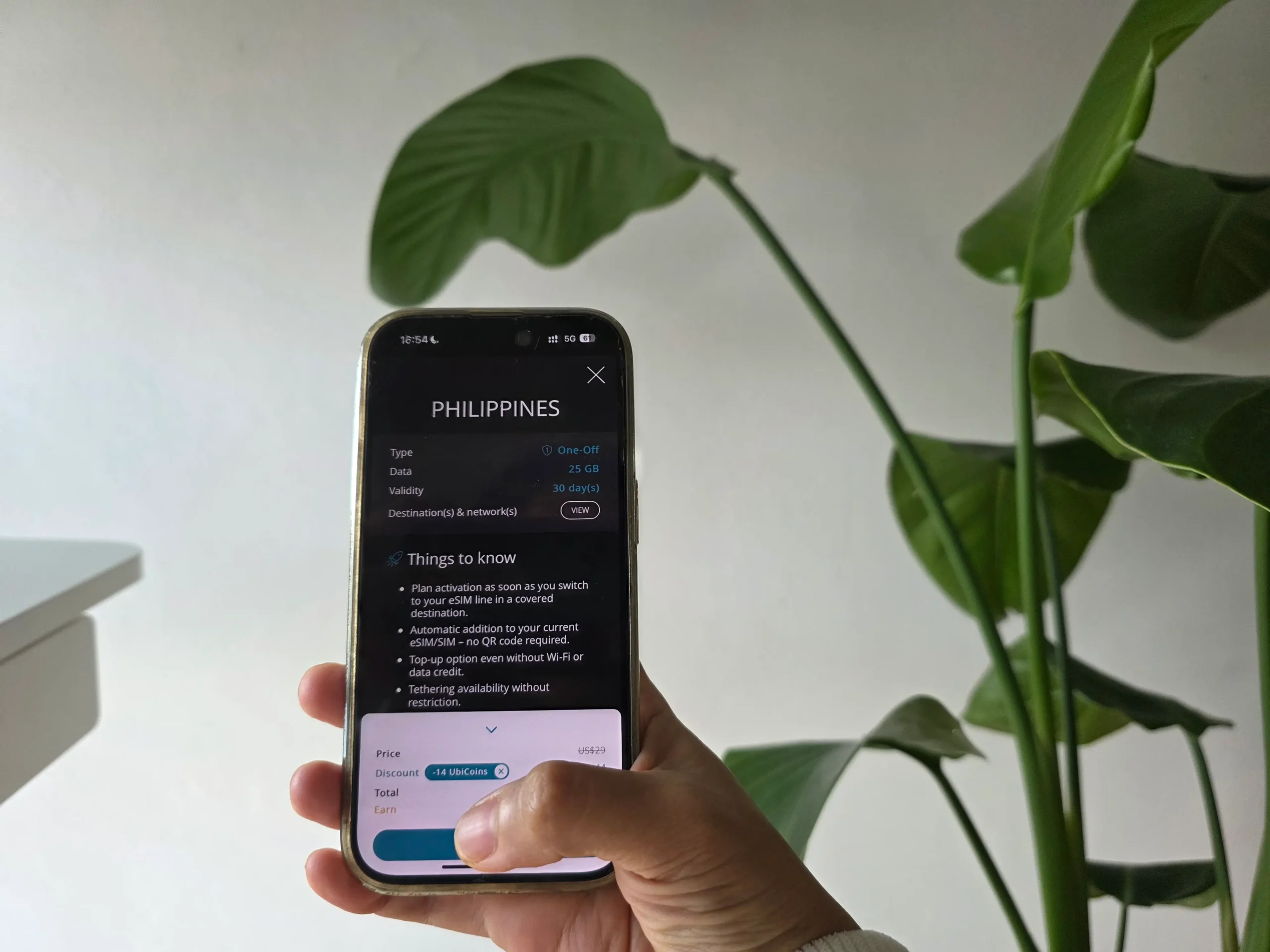
With Ubigi, once you’ve downloaded the app and created an account, you can buy more data with no connection at all. No Wi-Fi, no data needed. The eSIM doesn’t expire either, so it sits on the phone as a standing backup even when there’s no active plan.
I was skeptical, because I’d never heard of an eSIM that offers this. So I tested the top-up on my phone. Fully offline. It went through in under two minutes. It really works.
This is more useful in the Philippines than you’d think. We get more power cuts than we like to admit, especially on rainy days.
And as much as I want to support local taxis, some charge foreigners more. Same with tours and restaurants, especially in the provinces. I hate it myself. Having data lets you compare prices on the spot.
Pro tip Download the Ubigi app and create your account, even if you bought through the website. That account is what lets you top up any time.
It worked everywhere we went
We tested Ubigi eSIM in the worst possible month. And thank goodness it worked.
My dog Nala had to be spayed in an emergency. I was on my phone the whole time, asking Claude about the pros and cons of spaying, searching for a vet, and renting a car, all at once.
Then the paperwork. I had to renew my passport, process my Schengen visa, and get documents apostilled. In between, I was editing files, looking for a printer, and navigating directions.
Then the trips. My best friend’s birthday party in Cavite, a quick vacation in Tagaytay, and Matthias’s birthday in Subic.

Somewhere in there, I had a root canal, enrolled in a swimming class, and we were building our tiny house. And yes, I was still working. To top it all off, my brother got married and asked me to host. I used Claude almost as much as I used Ubigi that month.
All of this was in Luzon: Pampanga, Metro Manila, Cavite, Tagaytay, and Subic. We didn’t test Cebu or the islands. If you take Ubigi to Boracay or Palawan, tell me how it went.
Ubigi eSIM vs local SIM (Globe)
Ubigi runs on Smart and Dito in the Philippines, with 5G on Smart. My local SIM is Globe. Matthias tested the eSIM first while I kept my Globe SIM loaded with Go59 (5G data plus unli texts for 3 days).
There were a few times my Globe data was slow, and Ubigi was still fast. With two operators behind it, there’s one to fall back on.
Two phones, one plan
Data sharing is sometimes limited with other eSIMs, but I was happy with how well it worked on Ubigi. We had 10GB each. Matthias activated his first in April with me on his hotspot. In May we did the reverse.
Both times, 10GB lasted the two of us until the last day. We’re not heavy streamers on mobile, though Matthias watches YouTube Shorts, football, and documentaries from time to time.
But I was working, and we were both on maps and WhatsApp calls daily. We even watched one full movie during a power cut. That’s good mileage from one plan for two people.
Buy it now. Activate it any time in the next six months
I try to lower the stress of traveling by buying my eSIM early. The catch with most of them is that I have to activate at the airport so I don’t burn validity days.
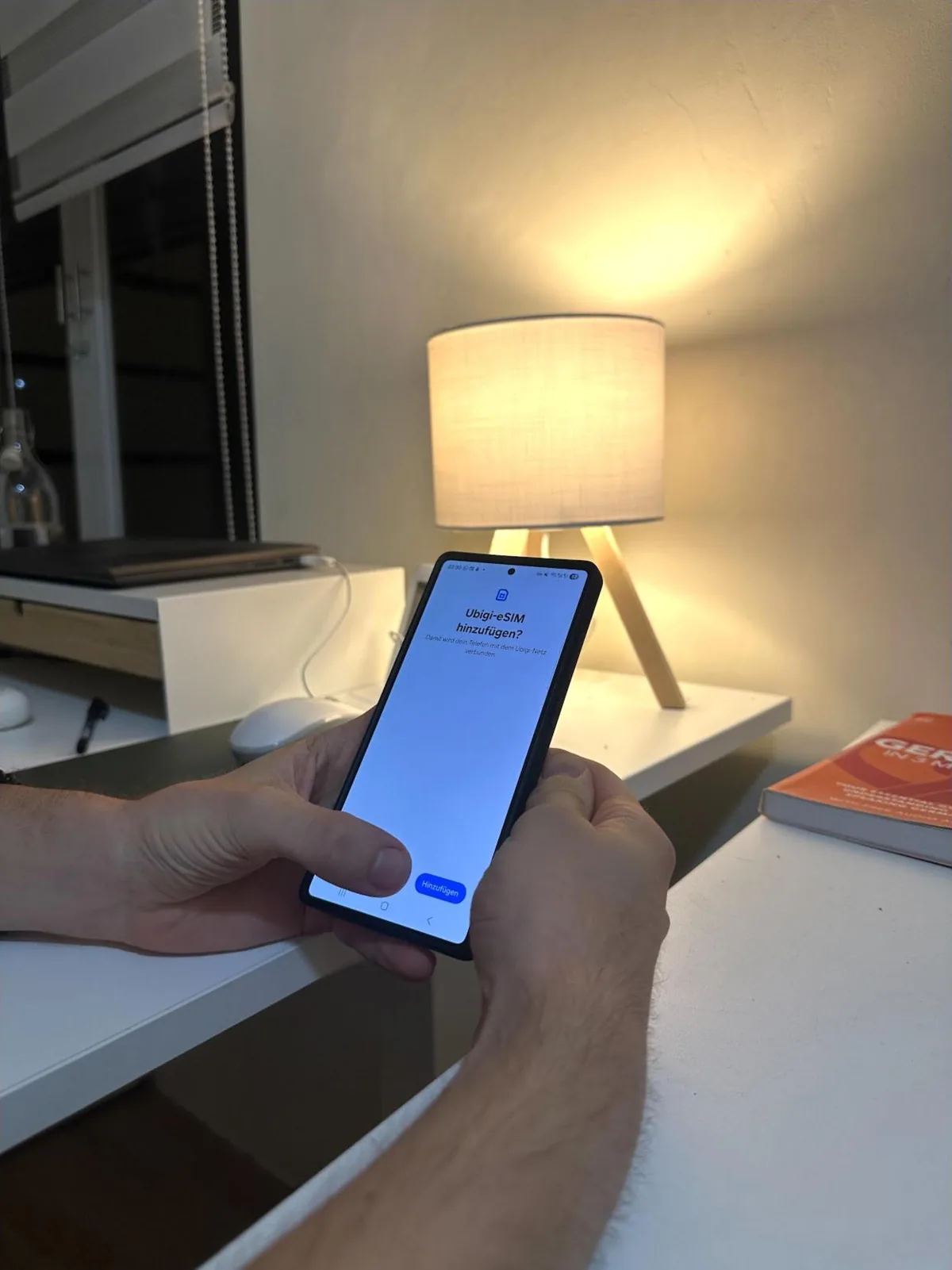
With Ubigi, the plan stays dormant after you install it. Validity starts the first time the eSIM detects a network at the destination. You can buy it and install it right away, and the days only start counting when you land.
Plus, you have six months from purchase to activate it.
Pro tip Buy a plan whenever it’s on sale, install it at home on Wi-Fi, and just turn on cellular data for Ubigi when you’re at your destination.
Why I’d recommend an eSIM over a local SIM for foreigners
Matthias has been to the Philippines more than ten times. Whenever he came, we’d get a Smart or Globe SIM at the mall.
Then the SIM Registration Act came in. From December 2022, every SIM sold here has to be registered before it works, including eSIMs from Philippine telcos. As a tourist, you upload a passport, proof of where you’re staying, and a return ticket.
A tourist eSIM is also only valid for 30 days unless you show a visa extension, after which it deactivates itself.
Matthias did the registration once. Registration is a hassle, and once it took us days of back and forth at the mall to sort out. After that, Matthias switched to an eSIM on his next visit.
The law covers SIMs sold by Philippine telcos. A travel eSIM like Ubigi isn’t one, so there’s nothing to register.

What Ubigi eSIM can’t do
Two things.
It’s data only. No calls, no texts, no Philippine number. For most foreigners, you won’t need one. Almost every business in the Philippines runs on a Facebook or an Instagram page.
A local SIM is cheaper for a Filipino. For about $1.58, you can get 8GB for 7 days with unlimited texts on almost any local network. Ubigi’s smallest plan is 1GB for 7 days at US$3.50.
So for most Filipinos who only need data within the Philippines, a local SIM will generally be the more affordable option. However, Ubigi is a better choice if you travel internationally, need a backup connection, or want to keep the same eSIM across multiple countries.
Ubigi Philippines plans and prices
Ubigi offers several Philippines data plans, from light-use packages for short trips to larger plans for remote workers and heavy users. Prices are from Ubigi’s site in USD as of September 2026.
- 10GB, 30 days, US$16. We tested the 10GB plan, which easily lasted the two of us for a month of maps, messaging, navigation, hotspot use, and occasional streaming.
- Unlimited, 30 days, US$49. 60GB at full speed, then slowed to 2 Mbps for the rest of the month. Worth it only if you know you’re a heavy user.
- Asia, 10GB, 30 days, US$28. One plan across the Philippines, Thailand, Vietnam, Malaysia, Singapore, Indonesia, Cambodia, and Laos, for anyone flying on.
- 1GB, 7 days, US$3.50. A weekend, maps and messages only.
- 25GB, 30 days, US$29. If you’re working from the phone or streaming.
Since plans and prices may change over time, check the latest offers directly on the Ubigi website before purchasing.
How to set up your Ubigi eSIM before your trip
- Dial *#06#. If an EID number shows on screen, your phone supports eSIM.
- Buy the plan on the Ubigi website. Use code HAPPINESS10 for 10% off.
- Download the app and create your Ubigi account. This is what allows offline top-up. Don’t skip it.
- Select the QR code installation option in the menu of the app. Scan the QR code sent by email and follow the setup instructions. Ubigi’s install guide has screens for iPhone, Android, and Windows.
- Land, and it starts. You’ll need to open your phone settings, set Ubigi as your mobile data line, and make sure data roaming is on for the Ubigi eSIM.
We’re keeping it
Both of us kept Ubigi. I’m on a farm in Germany right now, on the same eSIM I used in the Philippines. I can use it reliably anywhere, and I can top up any time, even without internet. It’s just easy.
Here’s what made Ubigi stand out in our test: one eSIM for every country, reliable coverage everywhere we went in Luzon, and an offline top-up that actually works. That’s why it’s the best eSIM for Philippines trips I’ve used.
So if you’re heading to the Philippines, set up the account before you fly, and use my code HAPPINESS10 for 10% off. You might have just found the eSIM you’ll stick with.
